This feature was already available for BibleServer reading plans, so it didn’t take much effort – the biggest problem I ran into was that I wanted people to be able to add verses to favorites while searching too, but there were 2 complications:
- The page offers search in 3 ways (by chapter, full text, verse). So it would be a problem, when a verse was marked as a favorite in one place, to have it marked everywhere. The original code isn’t built/designed for that.
- The page didn’t reload, it loaded content dynamically instead, which is a smaller problem that could be solved fairly easily.
So then I decided that if you want to save verses to favorites, you will have to turn on the view with links and then click, for example, on Genesis or 1. If you click on Genesis, it shows you all the chapters of the book of Genesis including the verses – naturally.
If you click on 1, you get only chapter 1. Highlighted in yellow are the verses that are already in your favorites or are “on their way” there. The picture says more:
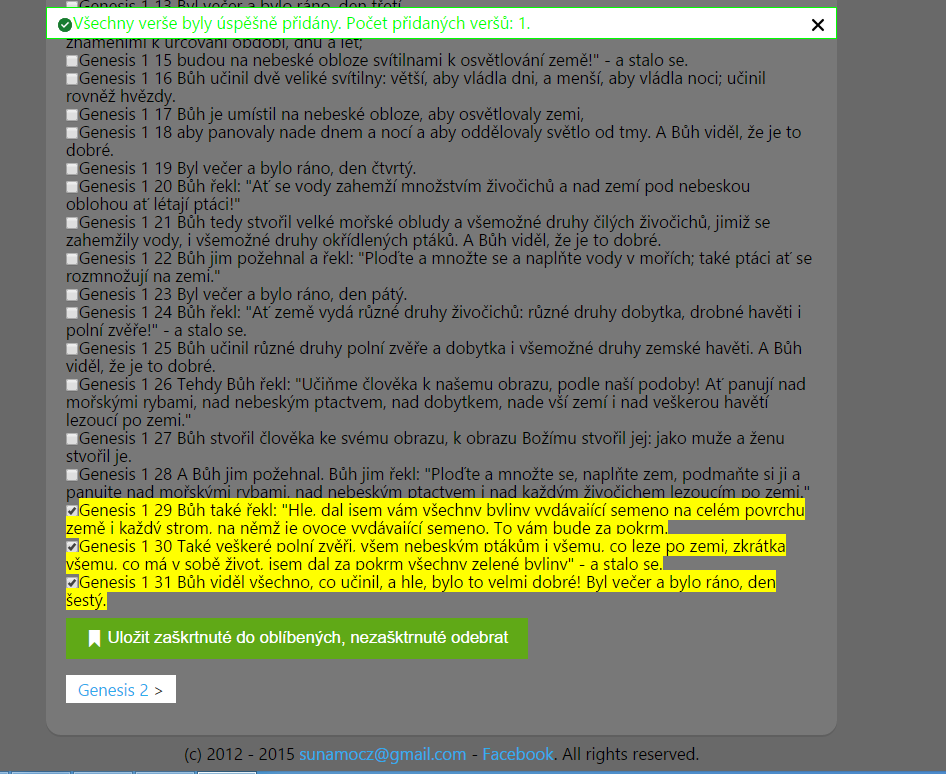
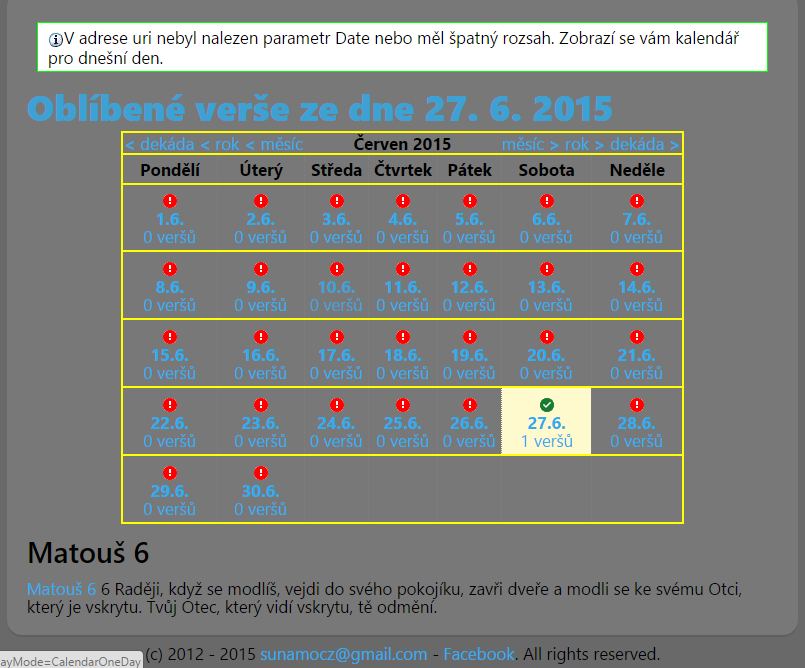
The only thing you must not forget afterwards is to save the verses to favorites with the green button, which also deletes them. Another small new feature is that the same principle also works when viewing the favorite verses from a given day:
Now I’m off to bed, and tomorrow I’ll fix the whole website for what must be the 10th time – woe is me if I ever again change something that breaks the entire website just to make it a little faster. Chop my hands off! xD