How to try it out?
- You will most likely need (as of today, December 18, 2013, you definitely will; later on Google will include this in the Beta and Stable versions) the Dev or Canary version of Chrome. You can download Dev at https://www.google.com/chrome/dev/?extra=devchannel . Canary is easy to find, so I will not post a link here. Note that, according to what I have read online, you cannot have the Stable and Dev versions installed side by side, nor other combinations except with Canary, so it is a good idea to uninstall your previous version of Chrome. However, you do not have to do that, the Chrome installer will handle it somehow.
- I recommend Dev if you want to use the “Chrome OS” browser as your default, because if you have any Chrome channel installed (Dev, Beta, Stable), you will not be able to set Canary as the default browser, and this ChromeOS mode only works when Chrome is your default browser.
- After installation it is simple. Just launch Google Chrome, set it as your default browser and relaunch it via the menu in Windows 8 mode. This works in both W8 and W8.1, only in W8 you will not have as many split-screen options.
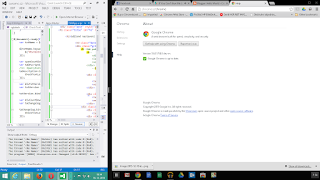
You can move the border between the “windows” freely as needed,
the minimum width for 1 “window” is, I believe, 25% of the screen