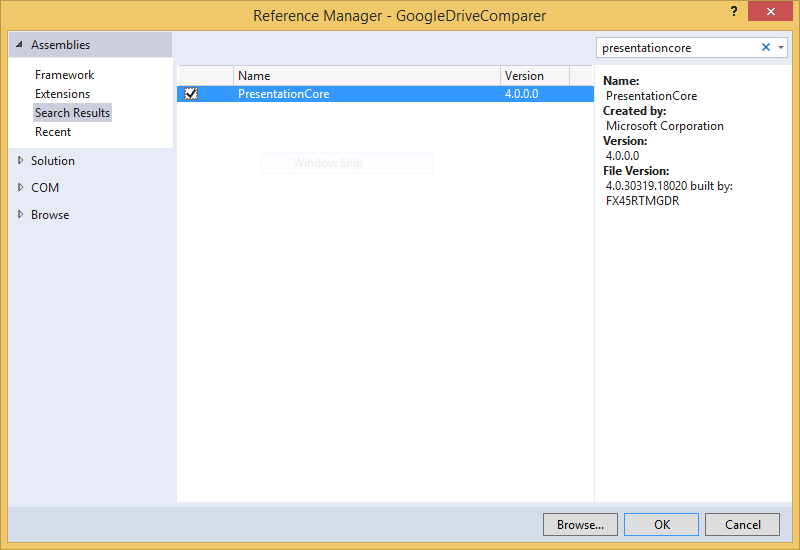
- Add references to these 4 assemblies to your console application:
PresentationCore,System.Drawing,System.XamlandWindowsBase.
This is how you add thePresentationCoreassembly, just press OK! - The file(s) containing these classes must include the following
usingdirectives. They are the ones present inProgram.csafter creating a console application, plus the ones I added viaResolve:CSHARPusing System; using System.Collections.Generic; using System.Drawing; using System.IO; using System.Linq; using System.Runtime.InteropServices; using System.Text; using System.Threading.Tasks; using System.Windows.Media.Imaging; - Now let’s create a few classes. They are excerpts from my helper classes, keeping only the methods used in this example:
CSHARP
class BitmapImageHelper { public static BitmapImage MsAppx(string relativePath) { BitmapImage bs = new BitmapImage(new Uri(ImageHelper.protocol + relativePath, UriKind.Absolute)); return bs; } } class ImageHelper { public static string protocol = "pack://application:,,,"; public static void SetAssemblyNameForWpfApps(string assemblyName) { protocol += "/" + assemblyName + ";component/"; } public static void RegisterPackProtocol() { if (!UriParser.IsKnownScheme("pack")) new System.Windows.Application(); } } class Pictures { public static Bitmap BitmapImage2Bitmap(BitmapImage bitmapImage) { using (MemoryStream outStream = new MemoryStream()) { BitmapEncoder encoder = new BmpBitmapEncoder(); encoder.Frames.Add(BitmapFrame.Create(bitmapImage)); encoder.Save(outStream); System.Drawing.Bitmap bitmap = new System.Drawing.Bitmap(outStream); // return bitmap; <-- leads to problems, stream is closed/closing ... return new Bitmap(bitmap); } } } class NativeMethods { [DllImport("kernel32.dll", SetLastError = true)] public static extern bool SetConsoleIcon(IntPtr hIcon); } - Finally, we write the code in
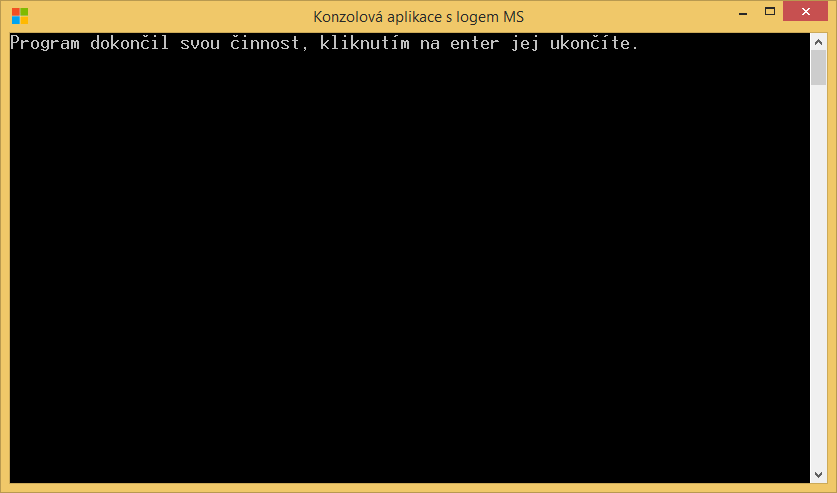
Main()that adds the icon to the console application:CSHARPConsole.Title = "Console application with the MS logo"; //-tempConsoleWithoutSwf is the assembly name of the calling code (in case these helper classes live in a different assembly)! ImageHelper.SetAssemblyNameForWpfApps("tempConsoleWithoutSwf"); ImageHelper.RegisterPackProtocol(); BitmapImage bi = BitmapImageHelper.MsAppx("LogoMicrosoft.png"); Bitmap logoBitmap = Pictures.BitmapImage2Bitmap(bi); NativeMethods.SetConsoleIcon(logoBitmap.GetHicon()); Console.WriteLine("The program has finished, press Enter to exit."); Console.ReadLine(); - All that remains is to add the image file
LogoMicrosoft.pngto the project root, ideally in a square size (here it was 50x50), and change itsBuild actionfromContenttoResource. The result then looks something like this: