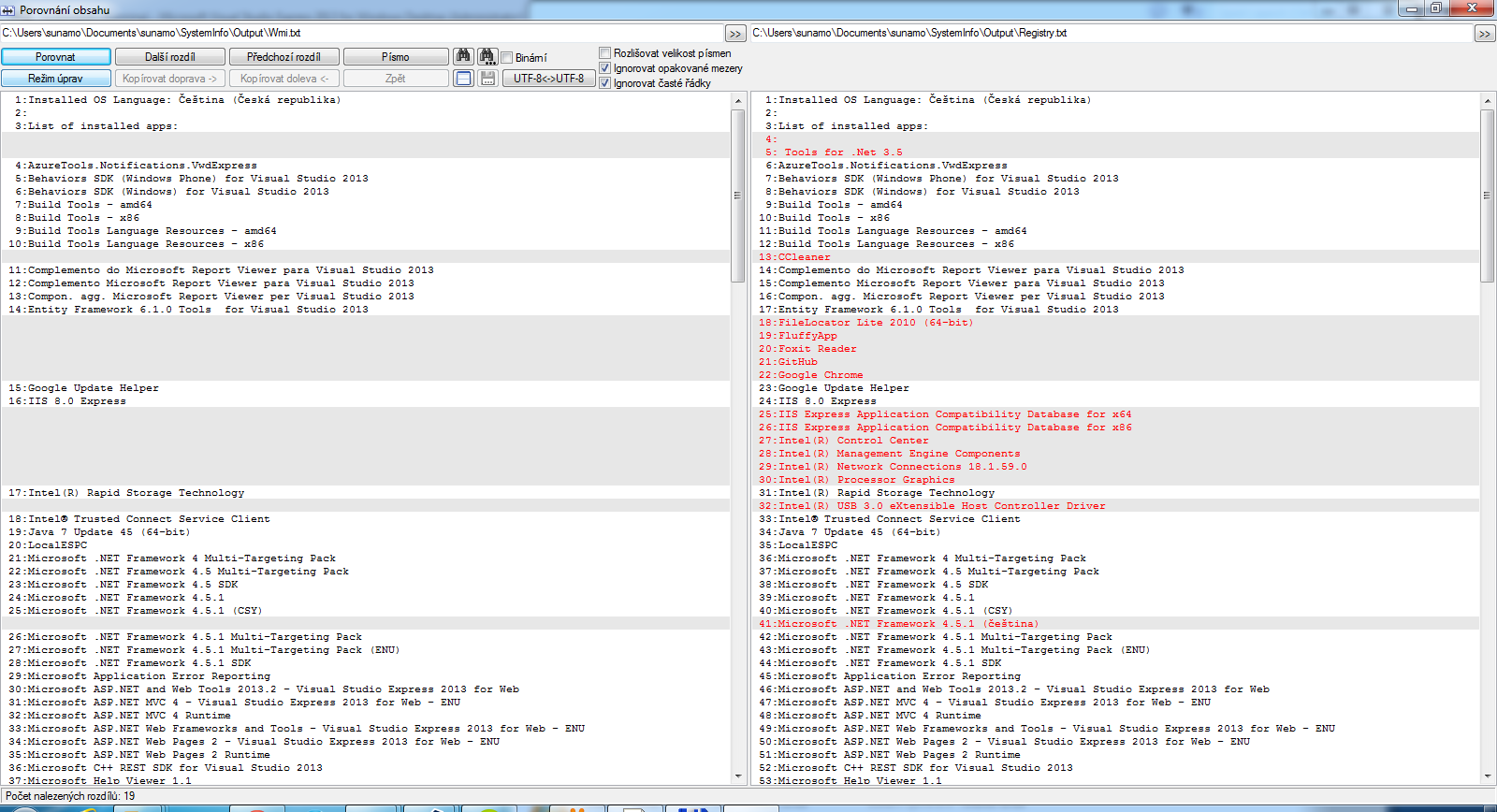
From what I have just found online, you basically have 2 options. Either through the registry or through WMI. You will write shorter code with WMI, but the registry will find more programs. Loading through WMI is also slower. Just for comparison, in my case it found 189 programs in the registry, 155 through WMI, and the “add or remove programs” dialog, on the other hand, shows that I have only 87 programs installed, but more is definitely better than fewer. I don’t feel like manually comparing all the applications in “Add or Remove Programs” with my registry output right now, but at first glance no application is missing, which this picture more or less confirms as well:

Now to the code itself. The code I wrote stores the results right after loading into the ItemsSource property of the ListBox control and writes the number of retrieved programs using the WriteToTextBoxInstalledAppsCount method, so feel free to replace these 2 lines to suit your needs. The code for loading through WMI looks like this:
C#
List<string> appsNames = new List<string>();

private void FillListBoxAppsByManagementObject()
{
    appsNames.Clear();
    ManagementObjectCollection managementObjects;
    ManagementObjectSearcher managementObjectSearcher;

    managementObjectSearcher = new ManagementObjectSearcher(" Select* from Win32_Product");

    managementObjects = managementObjectSearcher.Get();
    ObservableCollection<installedapp> installedApps = new ObservableCollection<installedapp>();
    foreach (ManagementObject managementObject in managementObjects)
    {
        object nameValue = managementObject[" Name"];
        if (nameValue != null)
        {
            string appName = nameValue.ToString().Trim();
            if (!appsNames.Contains(appName))
            {
                appsNames.Add(appName);
                installedApps.Add(new InstalledApp { AppName = appName });
            }
        }
    }
    lbInstalledApps.ItemsSource = installedApps;
    WriteToTextBoxInstalledAppsCount(installedApps);
}
Whereas the code for loading from the registry looks like this (on a 64-bit system; on a 32-bit OS you will certainly need to remove the 2 references that use the Registry64 value of the RegistryView enum):
C#
List<string> appsNames = new List<string>();

private void FillListBoxAppsByRegistry()
{
    appsNames.Clear();
    ObservableCollection<installedapp> ias = new ObservableCollection<installedapp>();

    RegistryView registryView32 = RegistryView.Registry32;
    RegistryView registryView64 = RegistryView.Registry64;

    GetInstalledAppsFromRegistry(ias, registryView32, RegistryHive.CurrentUser);
    GetInstalledAppsFromRegistry(ias, registryView64, RegistryHive.CurrentUser);
    GetInstalledAppsFromRegistry(ias, registryView32, RegistryHive.LocalMachine);
    GetInstalledAppsFromRegistry(ias, registryView64, RegistryHive.LocalMachine);

    lbInstalledApps.ItemsSource = ias;
    WriteToTextBoxInstalledAppsCount(ias);
}

private void GetInstalledAppsFromRegistry(ObservableCollection<installedapp> ias, RegistryView registryView32, RegistryHive h)
{
    string displayName;
    RegistryKey key;
    key = RegistryKey.OpenBaseKey(h, registryView32).OpenSubKey(@" SOFTWAREMicrosoftWindowsCurrentVersionUninstall");
    foreach (String keyName in key.GetSubKeyNames())
    {
        RegistryKey subkey = key.OpenSubKey(keyName);
        displayName = subkey.GetValue("DisplayName") as string;
        if (!appsNames.Contains(displayName))
        {
            appsNames.Add(displayName);
            if (displayName != null && displayName.Trim() != "")
            {
                ias.Add(new InstalledApp { AppName = displayName });
            }
        }
    }
}
And now I’m finally off to find out how to program Tetris, because my previous attempt to program it in Dart, back when I knew very little about it, didn’t turn out very well.