Neither Onmouseover nor onmouseout works in Chrome, while in IE 11/FF35 they work without any problems. I tried the following approaches:
jQuery:
- The
hover()method with both the In and Out parameters, or with In only - Using an already existing jQuery object, creating a new one, or using
$(this) - Using
.on("onmouseover"),.on("onmousehover"),.on("onmouseout), and the same withbind(eventType)
Plain JavaScript without jQuery:
- Putting
onmouseoverandonmouseoutdirectly into the HTML, tried both with returning true and with returning false - Writing methods that did not use jQuery but only plain JS
- Getting the element using
document.getElementByIdand then attaching the events mentioned above usingaddEventListener, withuseCaptureset both to true and to false
I have not listed everything here. I also tried Opera 28 Developer, but I could not find out which Blink version it runs on; it should be 41, but I cannot confirm that. And in it, not even clicking on the element worked, which did work in Chrome 39. The biggest paradox, though, is that all the methods listed here worked in IE11, while not a single one worked in Chrome :/
And we continue:
In Chrome, no text can be selected on the page, and Chrome ignores the setting of the CSS property cursor. In IE11, on the other hand, the jquery.equalheights.js plugin does not work.
And we continue again:
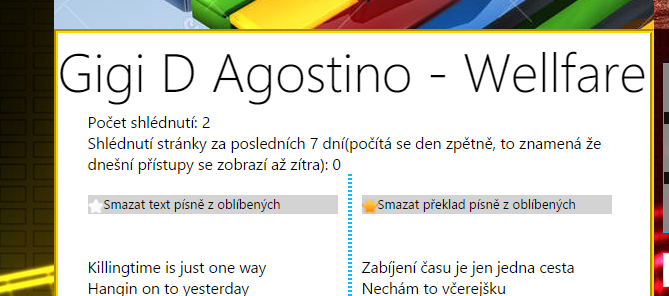
I have now set a gray background and edited the images (replaced the surrounding black color with transparency) and suddenly it works with the original jQuery code! I already thought it would only work in IE and FF, and suddenly it works in Chrome and Opera too. The first star is white because I hovered over it with the mouse (but did not click)
I do not understand this twist or what was causing the problem..