I decided to breathe some new life into WindowsMetroControls, where I described in Czech how to use the individual controls in metro W8 apps. I think it was written for W8 rather than W8.1, so it is fairly old by now. The main goal, though, was to finally make it responsive, so that Google would mark my whole website as “mobile-friendly”… although for that I would also have to move those Dart programs somewhere else, and I don’t know where, since all I have is a blog and 1 hosting plan.
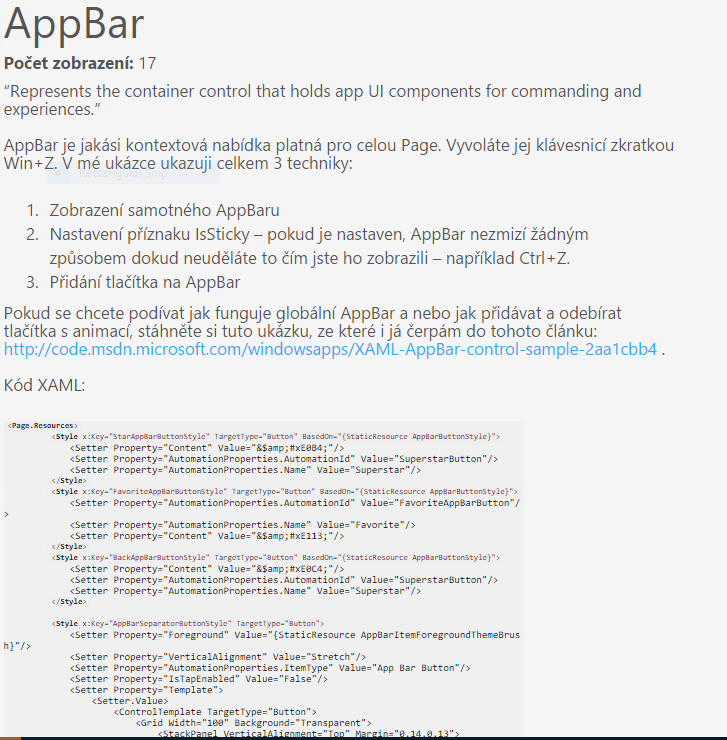
I ran into a problem right at the start: the code snippets had their highlighting hard-coded directly as html tags, so the browser/javascript then did nothing with them. As the new highlighter I used https://highlightjs.org/ . Here is a sample of the old code with hard-coded HTML tags:
<span class="title">Grid</span>
<span class="attribute">x:Name</span>
=
<span class="value">"columnGrid"</span>
<span class="attribute">Background</span>
=
<span class="value">"Black"</span>
<span class="attribute">Width</span>
=
<span class="value">"900"</span>
<span class="attribute">Height</span>
=
<span class="value">"200"</span>
<br>
<span class="tag">
    <span class="title">RichTextBlock</span>
    <span class="attribute">x:Name</span>
    =
    <span class="value">"rtb1"</span>
    <span class="tag">class="title">RichTextBlock</span>
    <br>
    <span class="tag">
        </
<span class="title">
        Grid
    </span>
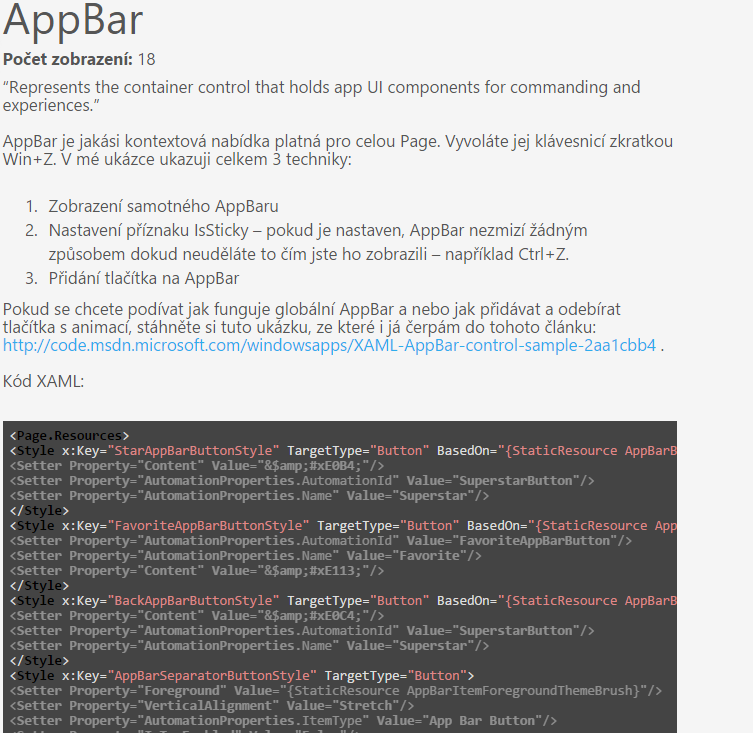
Now the same code looks like this: <pre><code><Grid x:Name=”columnGrid” Background=”Black” Width=”900″ Height=”200″> <RichTextBlock x:Name=”rtb1″></RichTextBlock> </Grid></code></pre> The old code was converted to the new one by this:
foreach (var item in htmlFiles)
{
HtmlParser hd = new HtmlParser();
string text = File.ReadAllText(item);
//text = text.Replace(" <", " <").Replace(">", ">");
text = text.Replace("> < <", "><2; <").Replace(">> <", ">>2; <");
hd.LoadHtml(" <wmc>" + text.Replace(" <", "<2;").Replace(">", ">2;") + " </wmc>");
List<HtmlNode> dd = hd.ReturnTagsRek(hd.DocumentNode, "pre");
foreach (HtmlNode item2 in dd)
{
HtmlParser hd2 = new HtmlParser();
//.Replace("> < <", "> < <")
//
//.Replace(" <span>", "").Replace(" </span>", "")
var item3 = item2.InnerHtml.Replace(" <", "<2;").Replace(">", ">2;");
string ddWoHtml = " <code>" + HtmlHelper.StripAllTags(item3) + " </code>";
item2.InnerHtml = ddWoHtml;
}
string nfn = item.Replace("html2", "html");
if (File.Exists(nfn))
{
File.Delete(nfn);
}
string nl = Environment.NewLine;
string p1 = SH.ReplaceAll(hd.DocumentNode.InnerHtml.Replace("<2;", " <").Replace(">2;", ">"), nl, " ");
string p2 = SH.ReplaceAll(p1, nl, nl + nl);
string[] l = SH.GetLines(p2);
l = CA.RemoveStringsEmpty2(l);
File.WriteAllLines(nfn, l);
} </HtmlNode>And that’s all there is to it. The only problem is that the indentation got stripped, but there was no other way, so at some point I will have to run it through some XAML/C# formatter to bring it back. The main thing is that it will be responsive now. Windows Phone:

Android:

Chrome on Windows, the old look:
Chrome on Windows, the new look:
And Google Webmaster Tools agrees:

👻 RIP – this server didn’t even survive its own hosting.