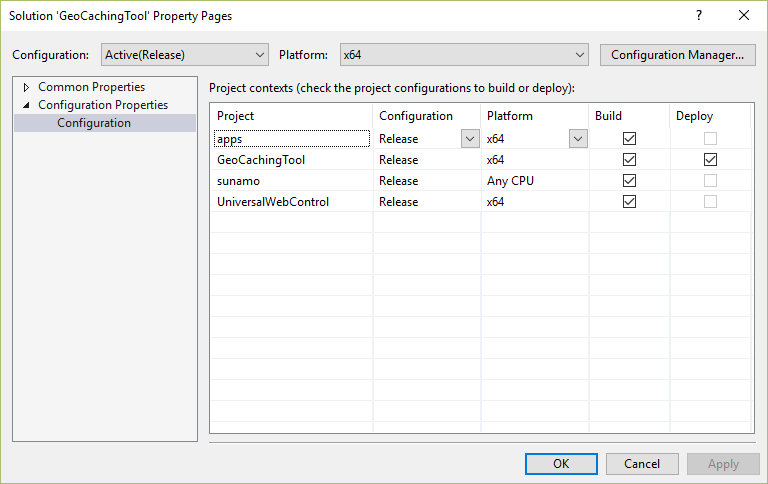
I want to bring some order to how I compile my applications. And so that everything fits exactly right whenever I create a new app, I looked at how VS compiles projects by default. For each project type there will be these items:
- Any CPU
- ARM
- x64
- x86
and each of these items shows what it is set to when you add the project to another project.
Windows Classic Desktop Apps
Portable libraries (in my case .NET 4.6 and Windows Universal 10.0):
- Any CPU
- ARM
- Any CPU
- x86
Classic DLL library for Windows:
- Any CPU
- Any CPU (correct, because it cannot be compiled for ARM)
- x64
- x86
The classic desktop application itself:
- Any CPU
- Any CPU (correct, because it cannot be compiled for ARM)
- Any CPU
- Any CPU
So to sum up, Portable libraries compile to Any CPU instead of x64, and the applications themselves always compile to Any CPU.
Windows Universal Apps
Portable libraries (in my case .NET 4.6 and Windows Universal 10.0):
- Any CPU
- ARM
- Any CPU
- x86
Library for a Universal Windows App:
- Any CPU
- ARM
- x64
- x86
The Windows Universal App itself:
- x86
- ARM
- x64
- x86
The only difference here is that Portable libraries compile differently for x64 – to Any CPU. So, definitively, everything is as it should be, except that instead of x64 for PCL you need Any CPU, as for example here: