TypeScript does not support the arguments keyword/object/array inside a method. Instead, it introduces a special definition in the method signature, which looks like this, for example: ...args:string[]. The three dots mean that from this parameter on, you can pass as many values as you like to the method.
string is the type that every object passed into this “collective” variable must have. If you want to pass different types, choose the any type, but then forget about any Intellisense unless you cast it to another type again. After the data type (here string), you simply write [] as an array declaration.
Naturally, there can be only one args argument (or whatever you name it) in each method. That makes sense and, by the way, it is the same as the C# method signature declaration params string[] args. If you do not follow this, the file will not compile to JS. Speaking of the parameter name, it cannot be arguments, which is the “keyword array” in every JS method.
If you used arguments anyway, the compiler would let you know accordingly: Duplicate identifier 'arguments'. Compiler uses 'arguments' to initialize rest parameters. The preceding method parameters are not counted in the … arguments. And now some practical code samples. When you write this in TypeScript…:
class HtmlGenerator {
    text: string;

    WriteNonPairTagWithAttrs(tag: string, ...args: string[]) {
        alert(args.join(" "));

    }

}

var htmlGenerator = new HtmlGenerator();
htmlGenerator.WriteNonPairTagWithAttrs("a", "Hello", "Javascript", "World");
…you get this after compilation:
var HtmlGenerator = (function () {
        function HtmlGenerator() {

        }

        HtmlGenerator.prototype.WriteNonPairTagWithAttrs = function (tag) {
            var args = [];
            for (var _i = 0; _i < (arguments.length - 1); _i++) {
                args[_i] = arguments[_i + 1];

            }
            alert(args.join(" "));
        };
        return HtmlGenerator;
    })();

var htmlGenerator = new HtmlGenerator();
htmlGenerator.WriteNonPairTagWithAttrs("a", "Hello", "Javascript", "World");
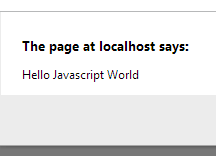
As you can see, TypeScript creates the array by itself based on the name of your “args” parameter and copies all the values into it from the arguments array, which JS creates on its own in every method. And here is how the browser displays it: