I just had a bit of a small shock, but it is my own fault for clicking through things I do not understand without looking into them first. I am still building several pages for statistics, archiving, sharing and so on of GPX files from Garmin navigation devices, and surely from others too (it is meant to be as universal as possible). Each track is shown publicly if the visitor knows its 5-character code and the user’s ID.
5 characters is fairly little protection, but then again it is not meant for passwords. So in another browser, where I was logged in to my admin account, I tried changing this code to see whether some error would show up. Never in my wildest dreams would I have thought that by default SQL Server for the Czech Republic would use the collation Czech_CI_AS, which means case insensitive, accent sensitive – after all, even if it stored 2 copies of every text column, searching in 2 of them must be a terrible burden (not to mention the space it takes up), let alone if it had to convert all text to the same case every time it searched a table.
I found out what this means in SQL Server Management Studio:
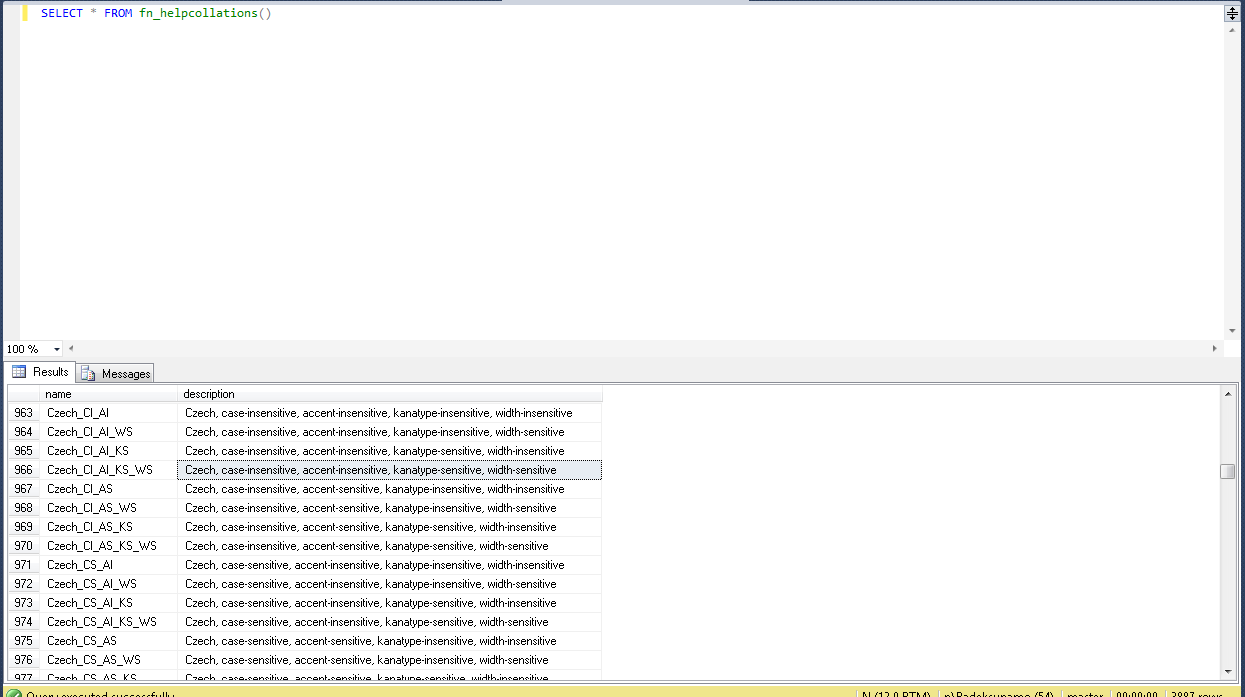
So I tried to change the collation of the database. It showed me that the DB really was Czech_CS_AS, but it behaved the same way; now I am not sure whether I tried recreating the database, but I think I did. I kept googling and found out how to set the collation for columns explicitly. So I gave it a try and added this code to the code that builds the SQL command for creating a table:
/*These types that I use cannot contain text and collation is not allowed for them
* t == System.Data.SqlDbType.BigInt ||
* t == System.Data.SqlDbType.Int ||
* t == System.Data.SqlDbType.Bit ||
* t == System.Data.SqlDbType.TinyInt ||
* t == System.Data.SqlDbType.SmallInt ||
* t == System.Data.SqlDbType.UniqueIdentifier ||
* t == System.Data.SqlDbType.Date ||
* t == System.Data.SqlDbType.SmallDateTime ||
* t == System.Data.SqlDbType.Real ||
* t == System.Data.SqlDbType.Binary ||
* t == System.Data.SqlDbType.Decimal ||
*/
if (
    t == System.Data.SqlDbType.VarChar ||
    t == System.Data.SqlDbType.Char ||
    t == System.Data.SqlDbType.NVarChar ||
    t == System.Data.SqlDbType.NChar
)
{
    stringBuilder.AddItem("COLLATE Czech_CS_AS_KS_WS");
}
These are all the types I use in my applications, and I tested even the ones where I expected collation would not be allowed – it did not work. Collation can be set only on text columns and, on top of that, only after the column definition – for example right after VarChar NazevSloupce(10), otherwise it throws an exception. I set the collation to Czech_CS_AS_KS_WS to be sure that nothing would be “insensitive” anymore. I tried recreating the table with data and this time it worked.
Then I changed the database collation back to Czech_CI_AS, restarted the PC and recreated the table – it worked here too. So now I know that for text columns I have to use the Collate declaration.