The first thing you will need is, of course, an account on sunamo.cz. After that you can start uploading new tracks right away from your GPS device. The 1st page, which took about 65% of my time, is this one:
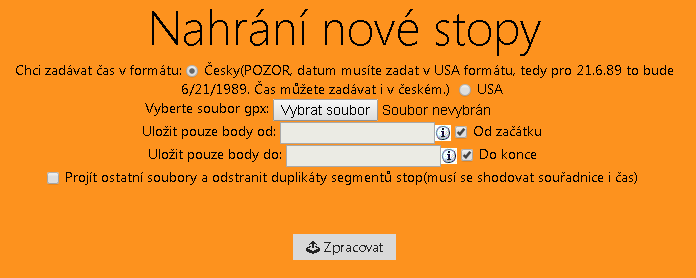
I put a lot of work into this one. And I only used a 3rd-party date time picker. I even upgraded to the latest version of jQuery UI, because it was not displaying correctly, but then I found out it was caused by the Metro UI CSS FW. The rest of the code I of course wrote myself from scratch. It works like this: first, of course, you select the GPX file you want to upload. Then you can choose a start and an end if you want to cut out only a certain part. I am also preparing a page where you will be able to further trim individual tracks.
The last feature does not work yet – as you can read in the picture, when it is enabled, your GPX files will be scanned during the upload and records that already exist will be deleted. Otherwise it works well; the basic upload and the trimming also worked fine, so hopefully it still does, as I keep working on it intensively. The second page is this one:
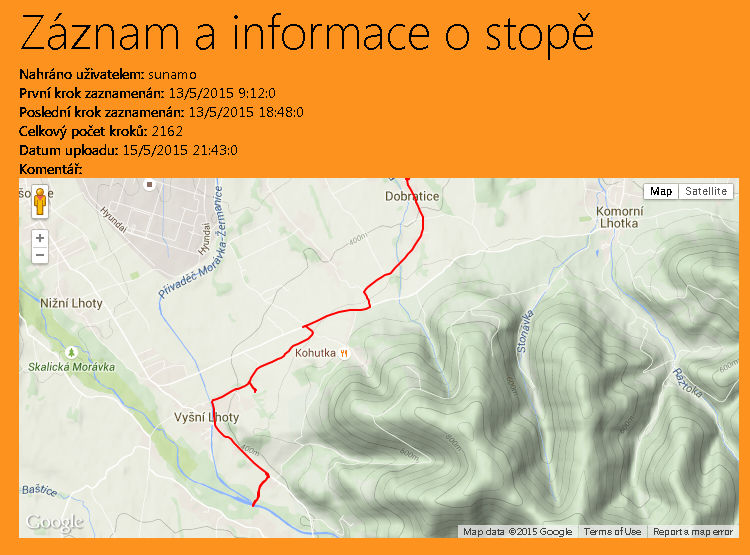
I made this one only quickly, and you can see for yourself that there are some clearly visible unfinished bits, such as how the times are displayed, or that a note is shown without any text (because it has no text assigned). But the basic map display works. I will keep working on it, and in the near future I would like to make the track display in colors according to the altitude I was at.
It is already online at https://sunamo.cz/GeoCaching/ShowGpxTrack.aspx?code=bYWbv&idUser=1 , but it probably will not stay there for long, because the next update will change the SQL tables and I will have to delete the old data, but I will try to keep it up to date here.